
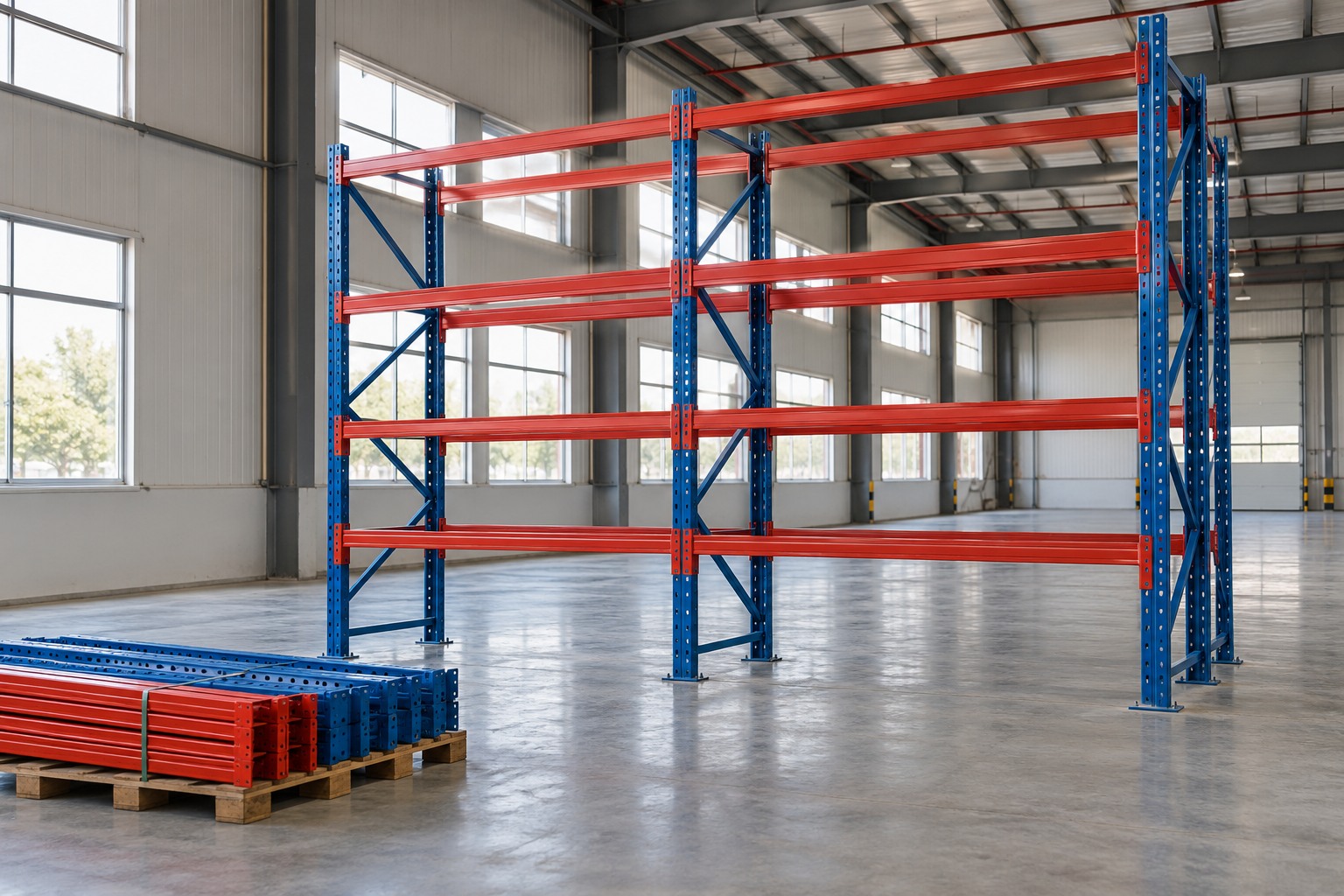
A sales campaign may be short, but inventory preparation begins earlier and clearing the space may finish later. Warehouse space planning must consider this complete cycle. The system's schedule should follow the expected time products remain on site, not just sales dates.
Seasonal inventory requires connecting demand, supply, and physical space. Forecasts help organize assumptions; the storage design translates the requirement into a configuration assessed for the site. This guide offers questions to connect those aspects without prescribing a generic percentage of extra space or recommending a system before understanding the operation.
1. Start with the calendar and demand assumptions
Seasonality is a variation in demand associated with periods or events. SAP's inventory planning documentation treats seasonal demand as a source of uncertainty, while Oracle documentation distinguishes components such as trend, seasonality, and promotional effects. For physical planning, the key is knowing which assumptions are being used.
Gather available history, the campaign calendar, and expectations from the departments involved. Identify what repeats and what is a change specific to this operation. A new campaign should not automatically be assumed to behave like another. Record who supplied the forecast and which conditions could change it, allowing revisions during the period.
- Planned campaign and event dates.
- Available history by product family.
- Assumptions for inbound flows, outbound flows, and stock residence time.
- Known changes in supply or order profiles.
Sources for this section: SAP Help Portal — Inventory Optimization [4] · Oracle — Retail Inventory Planning Optimization, Implementation Guide [1]
2. Distinguish peak sales from peak occupancy
The busiest dispatch date is not necessarily the date with the most products in the warehouse. Early receipts, different outbound rates, and replenishment can shift occupancy across the calendar. This observation should be checked against company data rather than becoming a rule applied indiscriminately to every campaign.
Build a view by period showing opening stock, expected receipts, and expected dispatches. Define the unit used for each figure: product units, cartons, and pallets are not interchangeable without conversion. Oracle's inventory planning documentation connects availability, planned receipts, and demand; space planning must add the physical form in which that inventory will be stored.
Sources for this section: Oracle — Inventory User's Guide: Planning and Replenishment [2]
3. Translate inventory into a storage requirement
Before requesting additional positions, describe the packaging and how items will be accessed. Growth in units sold may have a different impact for small products than for bulky loads. Reserve stock, picking areas, and support spaces for receiving and dispatch must also be distinguished.
Present the layout, load characteristics, equipment, and area constraints for system assessment. The quoted number of bays must correspond to a configuration appropriate for the use. Adding positions should not automatically consume aisles or areas assigned to other activities. Compatibility with the environment and design must be confirmed before installation.
4. Plan the temporary system from start to finish
Manufacturers such as Jungheinrich present racking rental for temporary use and order peaks. This commercial option must be confirmed for the intended system and location. Requesting a system for a period also means discussing how it will arrive, be installed, and leave the operation.
Include desired receipt and installation dates, available work windows, and the expected release for dismantling and collection. Ask how changes in duration or configuration will be assessed. Transport, equipment, and responsibilities must appear in the proposal; availability and terms should not be assumed from a generic market example.
- Desired period of system use.
- Date by which the area needs to be ready.
- Installation conditions alongside the existing operation.
- Expected inventory reduction and release of space.
- Removal stages and agreed responsibilities.
Sources for this section: Jungheinrich — Racking and warehouse storage [3]
5. Monitor the period and prepare to review decisions
The initial plan must be compared with actual events. Monitor what arrived, what left, and which assumptions changed. SAP planning documentation includes seasonal variations, forecast errors, and promotional event changes among sources of uncertainty. This reinforces the value of recording revisions rather than treating the first forecast as an unchangeable commitment.
Hypothetical example: a company receives part of its campaign inventory later than planned and decides to extend sales. The occupied space may remain necessary for longer. The response is not to alter the system independently, but to update the scenario and agree availability, use, and collection with the responsible parties. Afterward, compare the plan with what happened to improve the next request.
Sources for this section: SAP Help Portal — Inventory Optimization [4]
How to apply this to your planning
Planning seasonal inventory connects the sales calendar to the warehouse's physical occupancy. A request that explains the calendar, load, and system cycle helps discuss temporary needs more clearly and update the plan when conditions change.
Frequently asked questions
Is there a standard percentage of extra space for seasonal inventory?+
This guide does not establish a percentage. Requirements depend on product profiles, packaging, the inbound and outbound calendar, and the configuration assessed for the warehouse.
Does rental remove the need for design and planning?+
No. Temporary use does not remove the need for a configuration appropriate to the load, access, and site conditions. Provide the data to assess the system, scope, and duration.
How do I start a request with MonteLOG?+
Send the location, desired period, products and packaging, projected need, and available layout. Indicate timelines, access restrictions, and whether installation, transport, and removal need to be included.
Sources and further reading
Sources accessed on October 26, 2026. This content brings together general guidance; its application to your project should consider site conditions and the assessment of those responsible.
- Oracle — Retail Inventory Planning Optimization, Implementation Guide ↗
Distinguishing demand patterns, seasonality, and promotional effects in forecasting.
- Oracle — Inventory User's Guide: Planning and Replenishment ↗
The relationship between stock availability, receipts, and demand in replenishment planning.
- Jungheinrich — Racking and warehouse storage ↗
Presentation of racking rental for temporary use and order peaks; it does not represent MonteLOG's availability.
- SAP Help Portal — Inventory Optimization ↗
Sources of uncertainty such as seasonal demand, forecast errors, and changes in promotional events.