Two systems can occupy industrial space yet solve completely different problems. That is the case with drive-in and cantilever racking. Before comparing their bay counts or footprints, the operation needs to explain what it intends to store and how it will use the inventory.
This article presents the conceptual distinctions and a planning guide to prepare for an assessment. The system, its components, and conditions of use must be defined based on the design and applicable technical references. The aim here is to help formulate a clearer request.
Drive-in: understanding storage in depth
Drive-in uses storage lanes to group palletized loads. AR Racking's technical presentation relates the system to compact inventory storage and products with several unit loads per reference. This differs from the individual access offered by conventional selective pallet racking.
To describe a drive-in requirement, start with the inventory as a whole: which products need to be grouped, how they arrive, and the sequence in which they will be retrieved. The request should explain the desired access to units rather than treating pallet count as the project's only variable.
- Product reference profile and load grouping.
- Dimensions and characteristics of the pallets used.
- Planned stock entry and retrieval method.
Sources for this section: AR Racking — Drive in Racking [1]
Cantilever: support for long materials
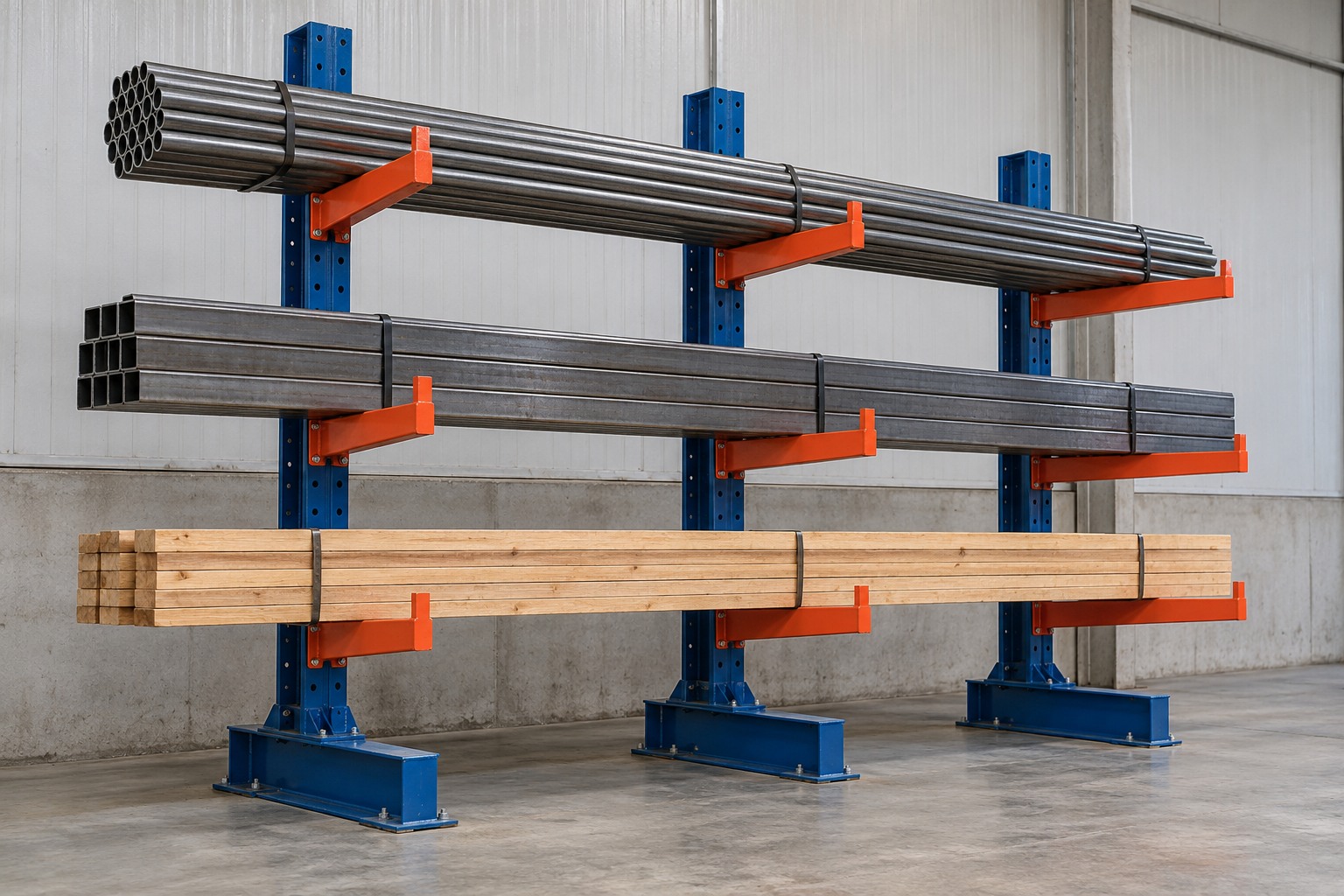
Cantilever supports loads on arms connected to uprights. The manufacturer presents this system family for long, bulky materials, such as certain tubes and profiles. It is not simply a matter of placing long products on a system designed for pallets.
When requesting an assessment, describe the material's length and packaging, as well as how it will be handled. Loose bars and a bundle of profiles should not be presented as equivalent information without detail. These characteristics help the designer understand the intended application.
- Material shape and length.
- Grouping and packaging method.
- Equipment and access planned for handling.
Sources for this section: AR Racking — Specific Racking Solutions [2]
Compare requirements, not just pictures of systems
The useful question is not which system appears to hold more products. It is which configuration makes sense for the unit load, access, and handling the operation requires. It is also worth distinguishing a new installation from reorganization using existing components, since their scopes differ.
In a hypothetical example, a company might need palletized reserve storage for part of its inventory and support for long materials in another section. The discussion could then involve complementary systems. There is no need to force a single system family across the whole warehouse before understanding its different activities.
- List product families separately.
- Describe the access required in each area.
- Identify interfaces between storage and handling.
- Record questions for assessment without pre-empting technical solutions.
What does calling a system modular mean?
In commercial discussions, ask for the term modular to be accompanied by identification of the system and proposed configuration. The ability to organize an installation into modules does not mean any part will fit any assembly. Before an extension or change, gather existing references and present the new requirement.
For purchase, rental, or installation, the scope should show which components and services are planned. Transport, equipment, installation, and documentation need defined responsibilities. With this information, assessment can move beyond vague descriptions and relate the requested solution to actual project conditions.
- System, manufacturer, and available documentation.
- Intended configuration and its relationship with the layout.
- Supply, installation, and project interfaces.
- Outstanding matters requiring confirmation before the work.
How to apply this to your planning
A good request starts with the load and flow rather than the system name. Gather operational data and explore MonteLOG's solutions to organize installation, supply, or rental according to the stated need.
Frequently asked questions
Do drive-in and cantilever handle the same type of load?+
Their approaches differ: drive-in groups palletized loads in compact storage, while cantilever uses arms to support long materials. The application requires assessment.
Can I decide based only on the warehouse's free floor area?+
Floor area is one piece of information. The unit load, stock access, and handling must also form part of the project assessment.
Can different systems be combined in one warehouse?+
Different needs may lead to the assessment of different systems within one layout. The configuration and its interfaces must be technically defined.
Sources and further reading
Sources accessed on October 26, 2026. This content brings together general guidance; its application to your project should consider site conditions and the assessment of those responsible.
- AR Racking — Drive in Racking ↗
Compact storage of palletized loads and organization by product reference.
- AR Racking — Specific Racking Solutions ↗
Cantilever applications for long and bulky materials.